Picture in, game out
One frog drawing, two consoles: the same picture as a GBA platformer and a GameCube 3D game
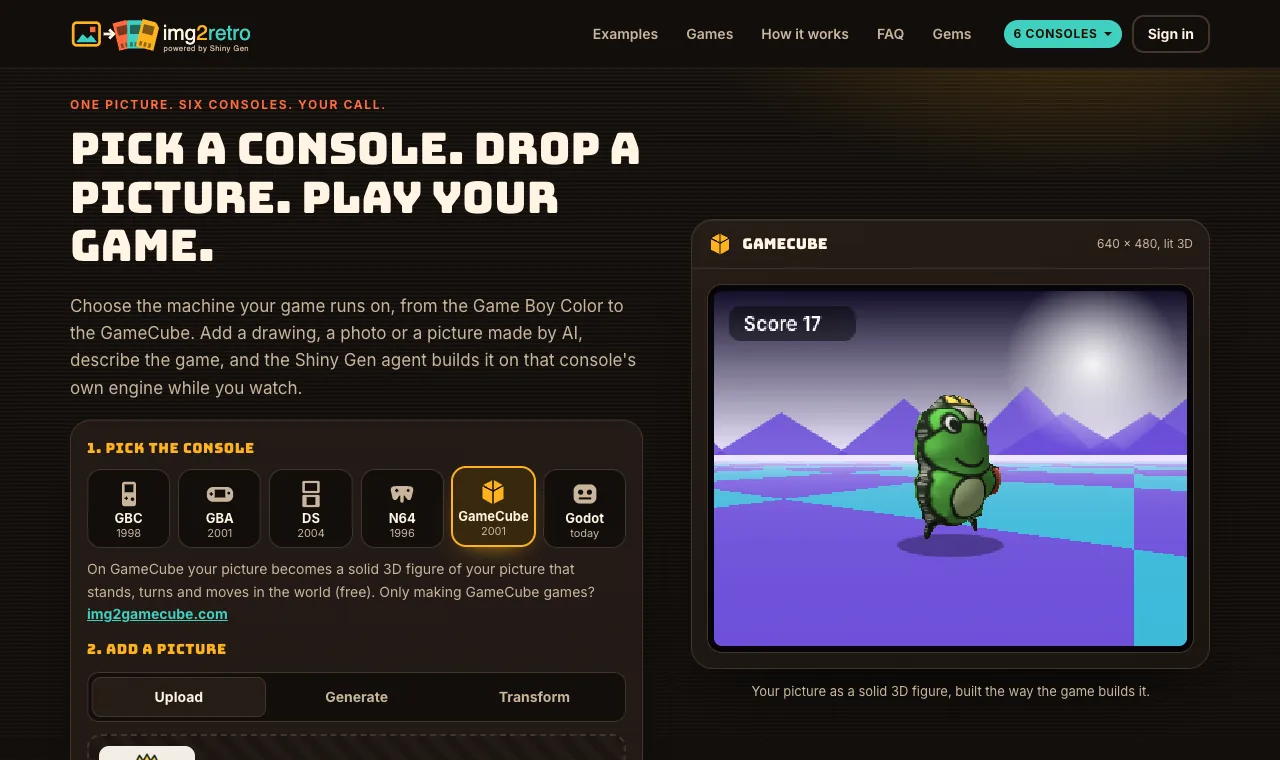
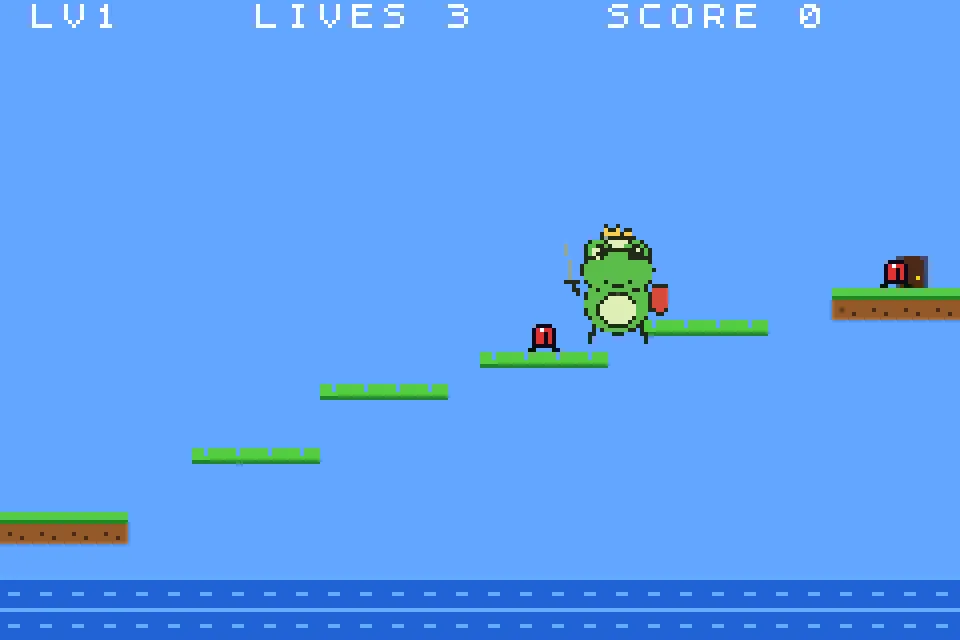
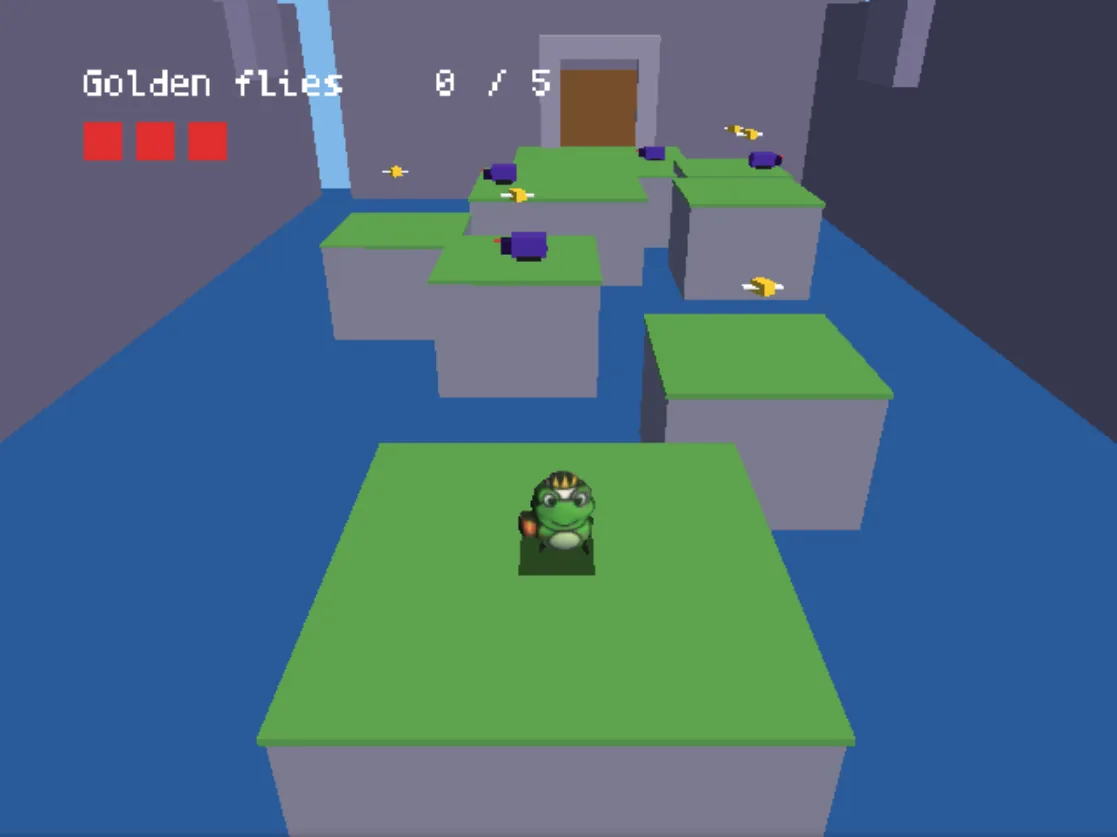
On img2retro the console is the first choice you make, and it changes what your picture becomes. To show how much, we started the same cartoon drawing of a frog knight twice. On the Game Boy Advance the AI agent built Frog Knight, a three-level platformer with the drawing as a 32 x 32 pixel sprite. On the GameCube it built Frog Knight Castle, a 3D courtyard where the same drawing is a solid, lit 3D figure with a shadow. Each game took the agent under 5 minutes and 10 gems on a new free account.
Also in: Español · Deutsch · Français · Português · Italiano · Nederlands · Svenska · Norsk · Bahasa Indonesia · Türkçe · Polski · Tiếng Việt · Русский · 日本語 · 한국어 · 繁體中文
On this page
The picture
A cartoon frog knight: green, with a gold crown, a sword in one hand and a red shield in the other, on a plain cream background. We drew it for our tests. One subject, bold outlines, a plain background: the kind of picture every console handles well.

Game 1: Game Boy Advance, a platformer
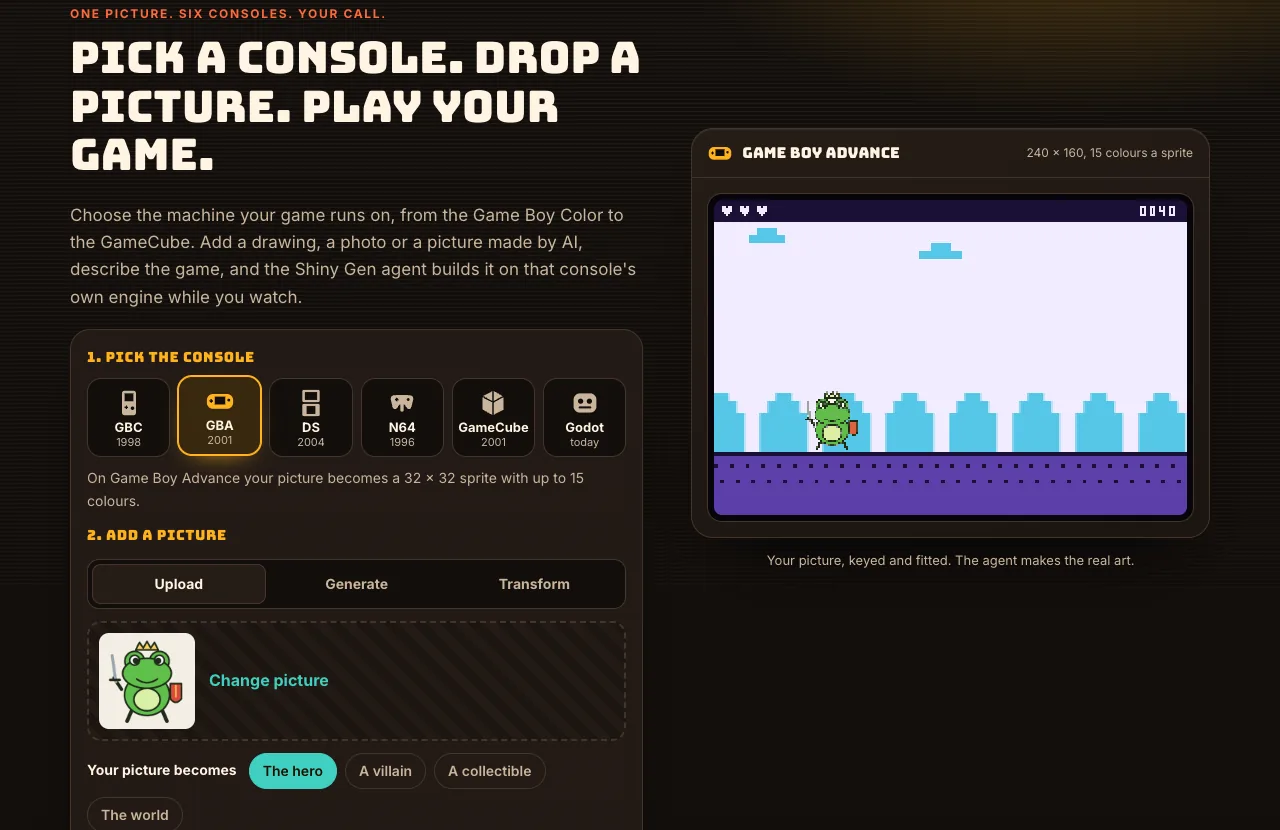
We picked GBA on the console picker, uploaded the drawing, chose The hero, and typed:
The preview showed the frog straight away as a GBA sprite on castle walls.
What the agent did on GBA
From the session's transcript, the agent:
- named the game "Frog Knight", imported the picture, and read three sections of the GBA engine's reference (sprites and animation, the engine API, and keys, maps and collision);
- wrote the game: a title screen with a self-playing demo, three single-screen levels (lily pads, castle bricks, then lily pads again with the crown), beetles, a door on each level and lives;
- made three short sound effects in code, a jump, a sword swat and a winning fanfare, and fixed the pattern names when its first try did not build;
- played the first level, then moved the frog straight to each door and to the crown to check that the levels load in order and that the crown shows the win screen;
- played from the start again, found the first jump too short to reach the lily pads, raised the jump and widened the first pads, and checked that the frog now lands on them.
Your picture stays your picture: the agent's own report says the frog is "your picture as the 32x32 player sprite, not redrawn", with a bob while it walks and a squash when it lands.
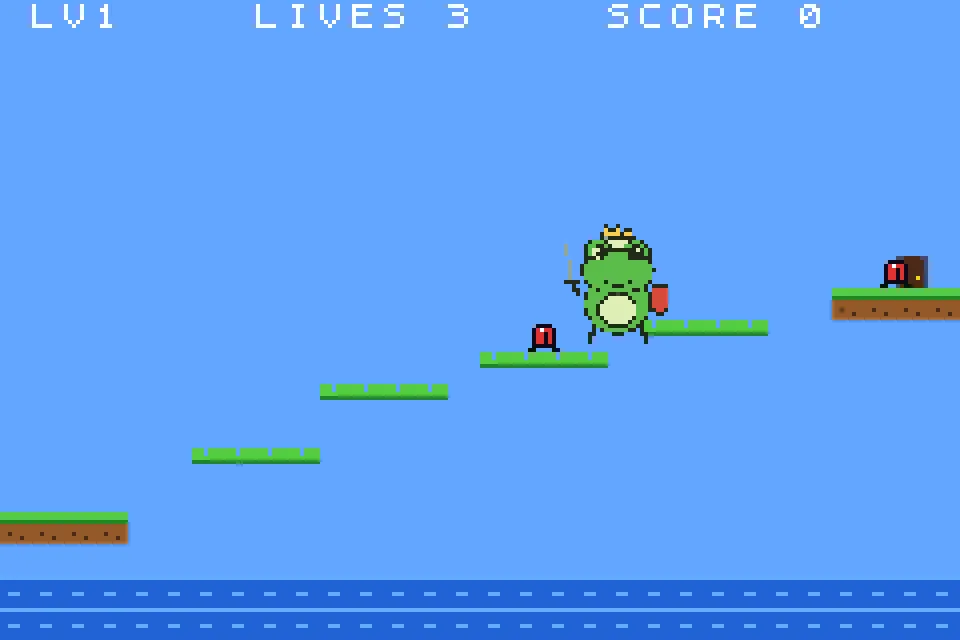
That session ran before a change to how long a free account's first game may run, so it stopped at the free account's 30-step pause, playable, after 4 minutes 38 seconds and 10 gems. A first game started from img2retro now gets a longer first turn before that pause.
Game 2: GameCube, a 3D castle
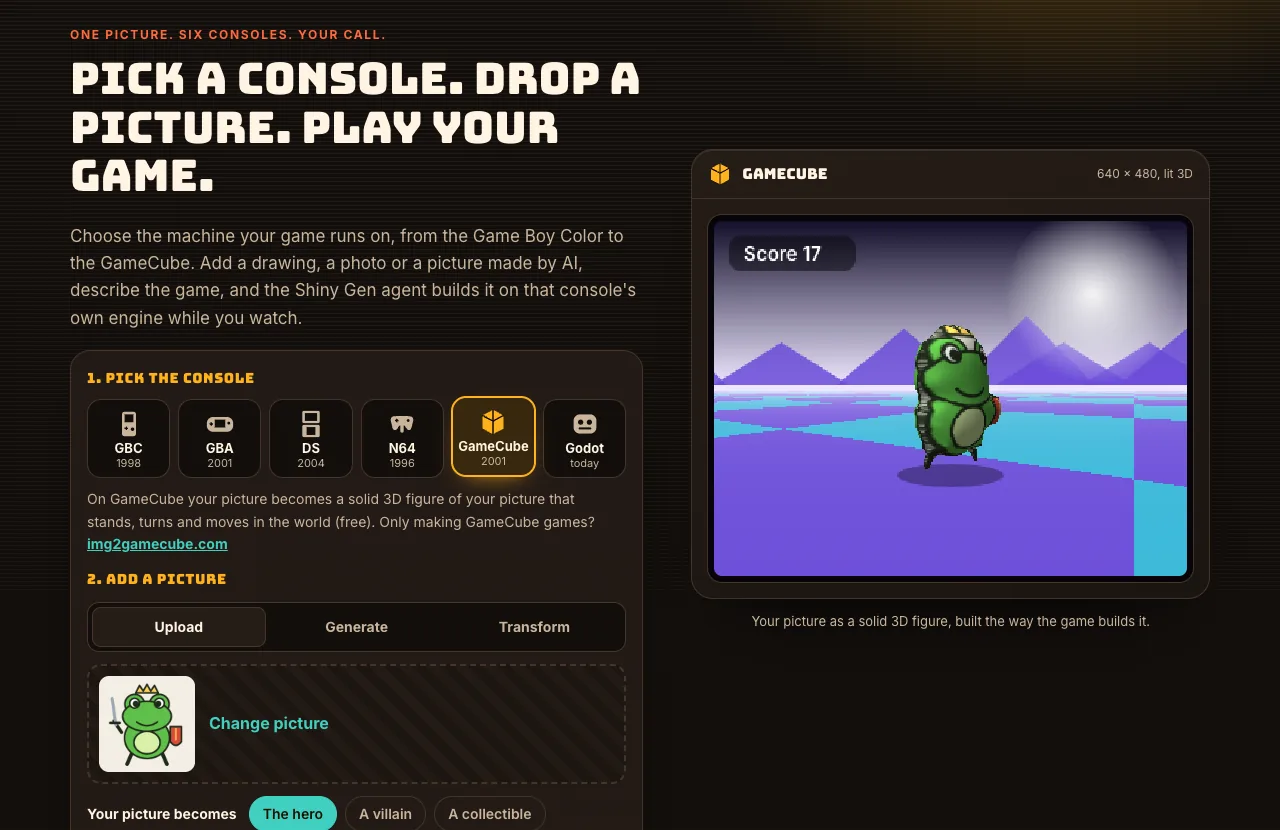
Then we started again with the same picture, picked GameCube, kept The hero and the free Solid 3D figure, and typed:
What the agent did on GameCube
1. Named the game "Frog Knight Castle" and imported the picture.
2. Turned the picture into a 3D model with the free picture-to-3D builder: the outline is puffed into a rounded body with the drawing on it, sized to the GameCube's 1,900-triangle budget and a 128 x 128 texture. Then it put the model into the cartridge.
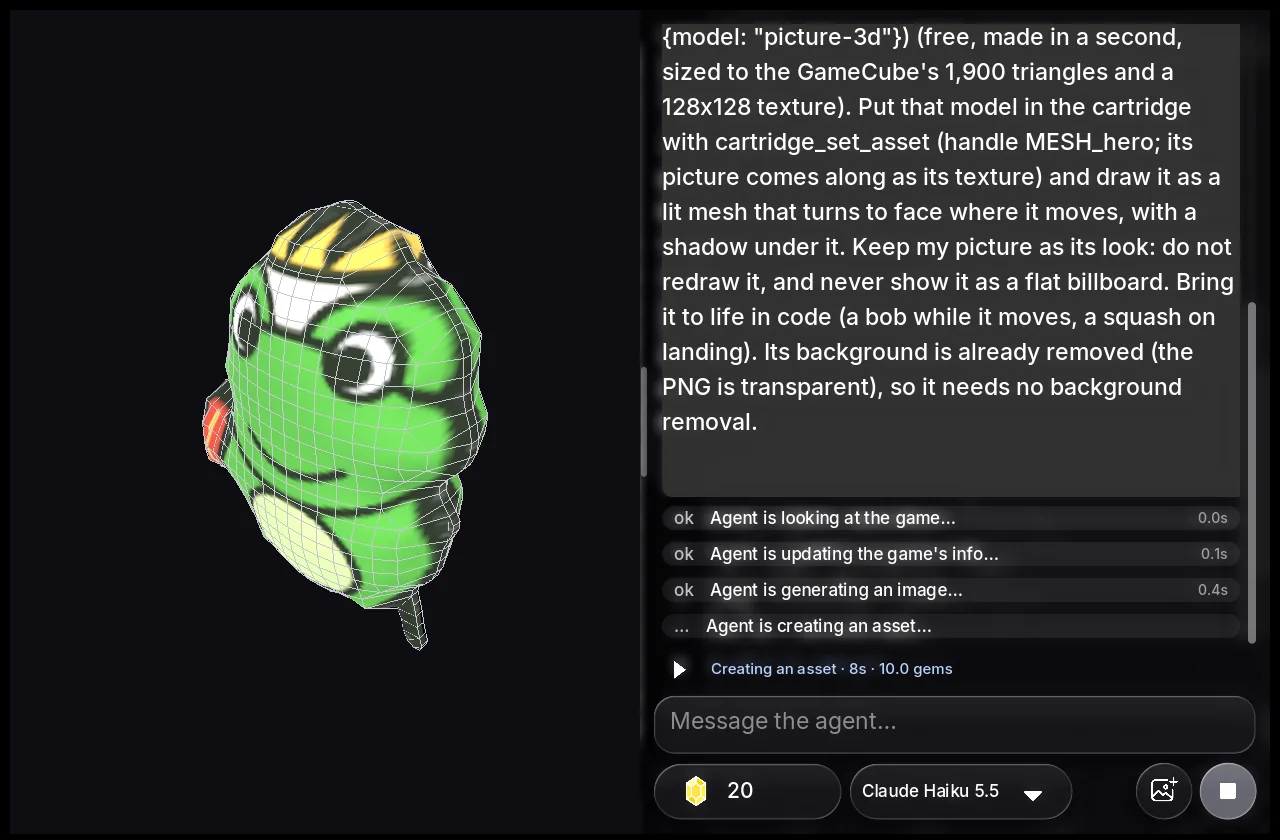
3. Read the GameCube engine's reference and wrote the game: eight stone platforms over a moat leading to a gate, five golden flies floating above them, four beetles on patrol, three hearts, and a title screen with the game playing itself behind the name.
4. Played it: started a round, walked forward, jumped and swung the sword. Then it held the D-pad and noticed the frog did not move, because the game only read the analog stick. It added the D-pad.
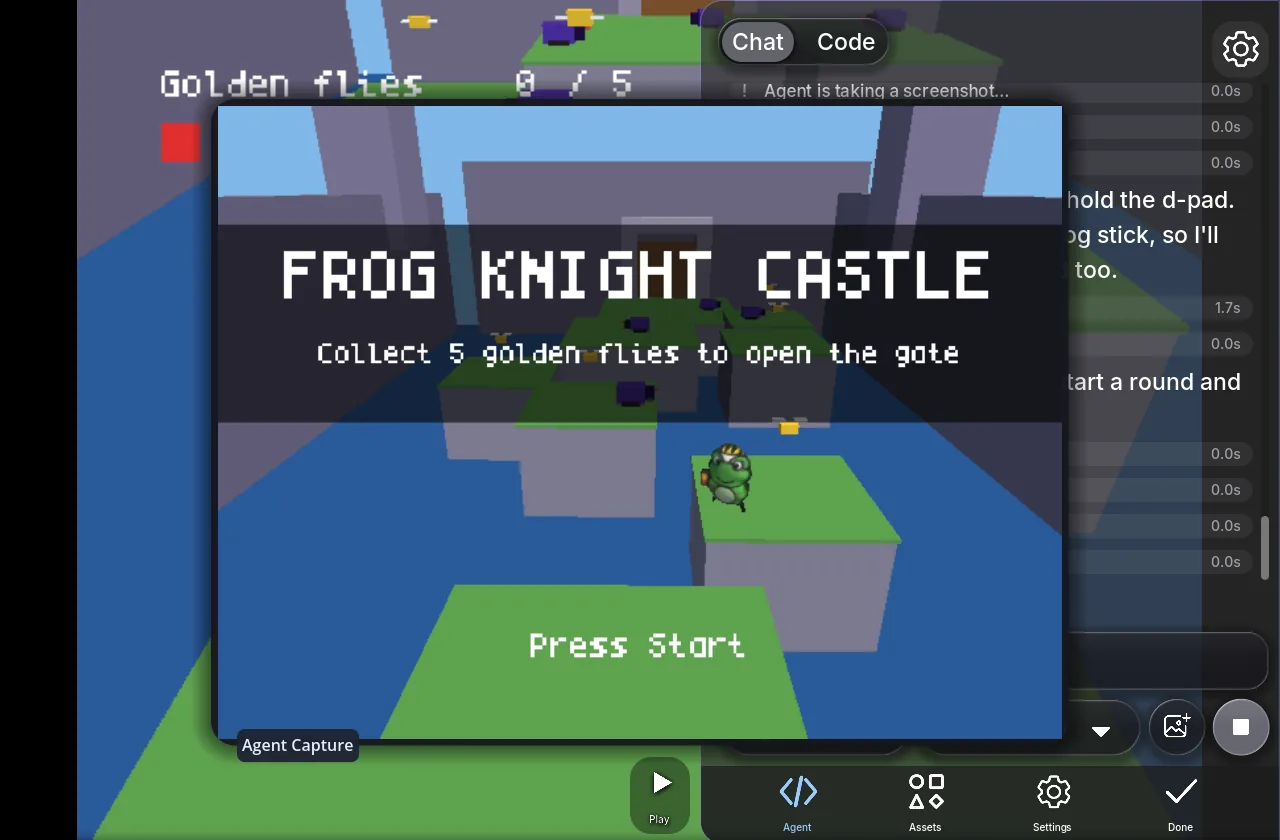
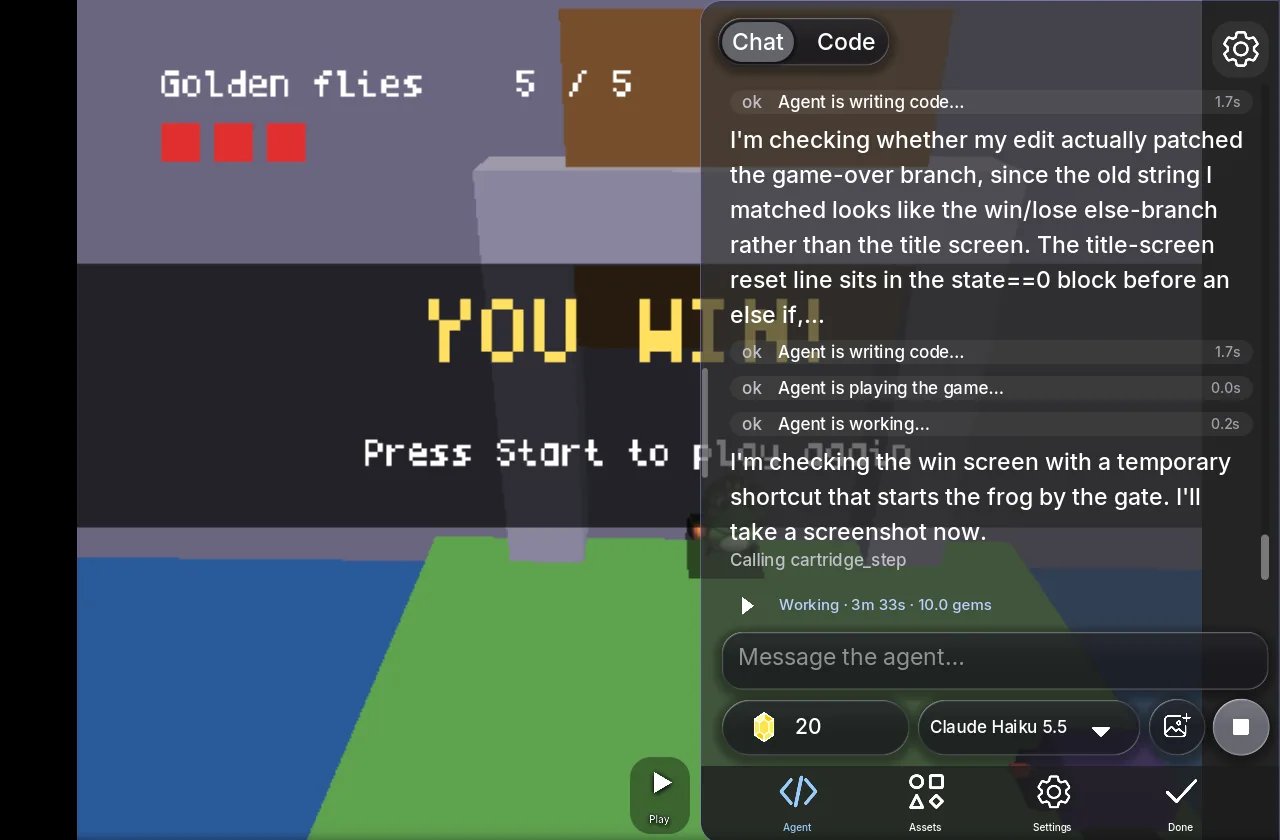
5. Checked both endings with a temporary shortcut that put the frog next to the gate with all five flies, saw "YOU WIN!" and the game-over screen, then removed the shortcut and rebuilt.
6. Played a normal round from the title and finished with an honest report and a question.
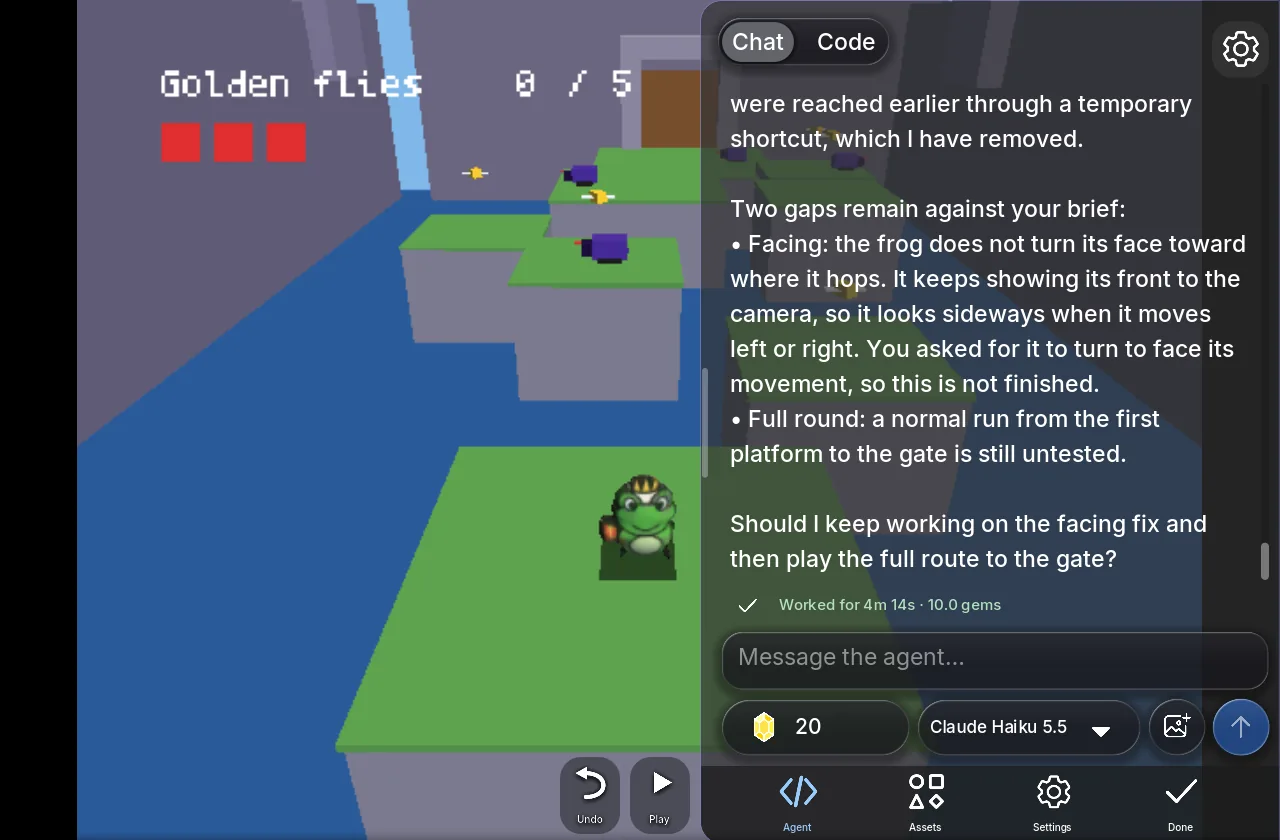
Its report named two gaps against the brief: the frog keeps showing its front to the camera instead of turning its face toward where it hops, and it had not walked a full round from the first platform to the gate. It asked whether to keep working on both. That was 39 agent steps in 4 minutes 14 seconds, charged 10 gems.
Side by side
| Game Boy Advance | GameCube | |
|---|---|---|
| The picture became | a 32 x 32 sprite, up to 15 colors | a lit 3D figure with a shadow |
| The game | three-level side-scrolling platformer | 3D courtyard of platforms over a moat |
| What the agent added | levels, beetles, doors, a crown, three sound effects | platforms, golden flies, beetles, a gate, title and win screens |
| Agent time | 4 min 38 s (stopped at the free pause) | 4 min 14 s |
| Gems | 10 | 10 |
| Left to do | play all three levels end to end | turn the frog's face, play the full route |
The same drawing reads very differently. On the GBA it is pixel art, and the whole game has the clean, flat look of a handheld. On the GameCube it is a chunky lit figure in a 3D world, a look closer to early 2000s home consoles.
Make your own
Pick the console whose look you want, drop in your picture, and say what happens. If you cannot decide, do what we did: start the same picture on two consoles and keep the one you like, or keep both. Each start is its own game in your account.
For every option on the start card, see How to turn a picture into a retro game.
How we ran these tests
Both sessions ran on our local test copy of img2retro, with the same site, app and agent that img2retro.com serves, each on a new account with the free starting gems. The GBA session is from our earlier testing on the same day; the GameCube session was made for this post. Times and gems are the studio's own figures, and the screenshots are real captures from the sessions.
FAQ
Why does the same picture look so different on each console?
Because each console is built to its real machine's limits. The GBA draws your picture as a 32 x 32 sprite with up to 15 colors; the GameCube turns it into a 3D figure with up to about 1,900 triangles and a 128 x 128 texture. The agent keeps your picture as the look in both.
Does the 3D figure cost extra?
No. The Solid 3D figure is free and takes about a second. If you want a fully sculpted model instead, there is a Sculpted 3D model option for 30 gems, which takes one to three minutes.
Did the agent finish both games?
Both are playable. Both reports say what is left: the GBA session had not played all three levels from start to finish, and the GameCube session had not turned the frog's face toward where it hops or played the whole route. Each is one message away.
How long and how much?
Under 5 minutes and 10 gems each, on new accounts. New accounts get free gems and free agent turns; packs start at $2.99.
Can I download them?
Yes, after any one purchase: the GBA game as a .gba ROM and the GameCube game as a .dol file. GBA ROMs made this way have been played on a real console through a flash cart; GameCube files are tested in Dolphin.
Further reading
Last updated: November 17, 2026